A Modern Alternative to Acceptd
A flexible, transparent submission management platform for arts organisations, schools and programmes, without the per-application fees.
What's the difference between Dapple and Acceptd?
Dapple is a flexible submission management platform with flat monthly pricing and a visual interface, while Acceptd is an audition and application platform built around per-application fees, often $35 or more per applicant.
Acceptd has built a strong reputation in the performing arts world, particularly for conservatoires, universities and audition-based programmes. Founded over a decade ago, it offers application collection, adjudication, scheduling, and a recruitment network backed by a dedicated support team.
Acceptd's platform however, is built on older technology, and it shows. The interface, workflow tools, payments and flexibility haven't kept pace with what modern submission management software can do.
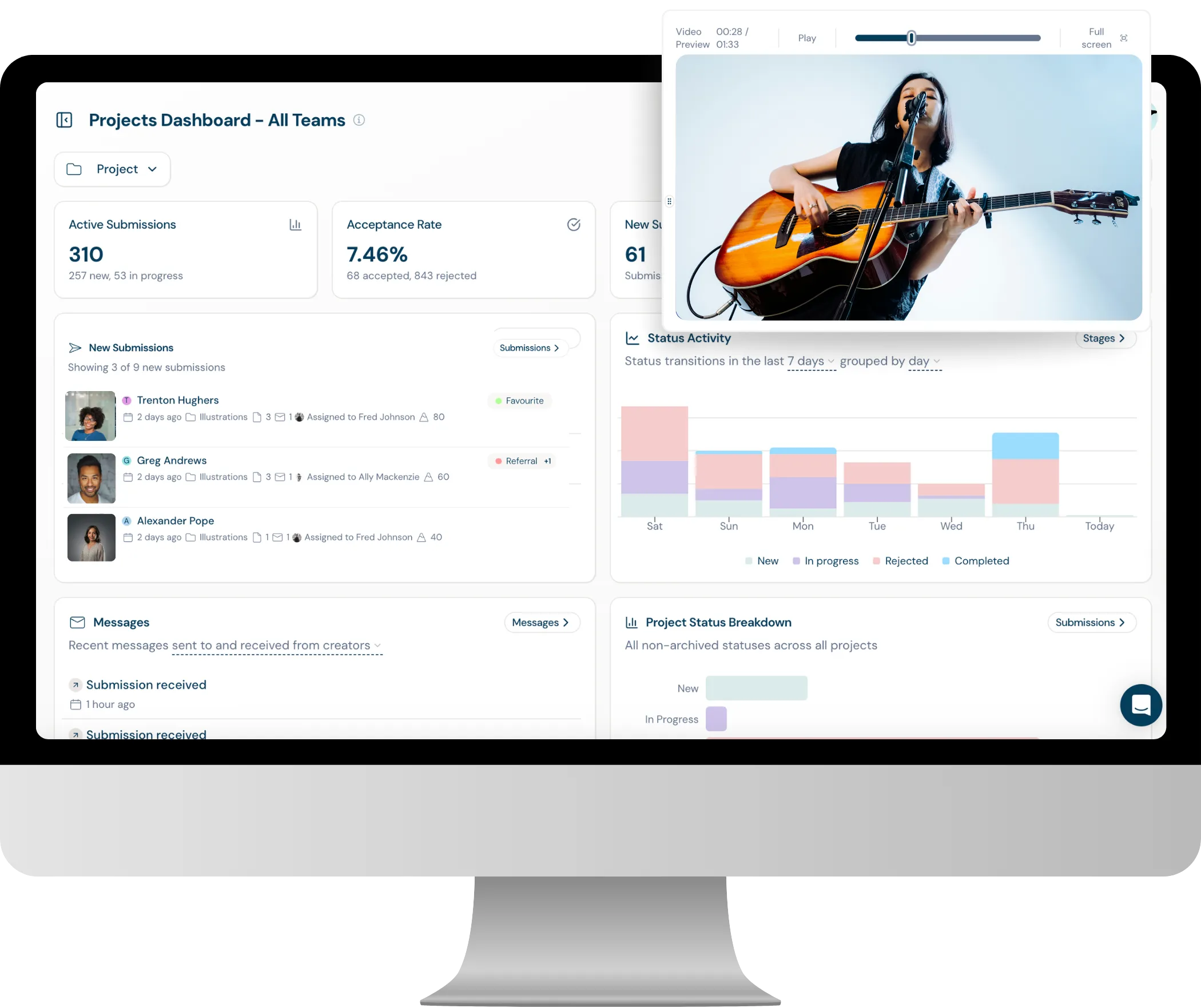
Dapple covers the same core workflow — application collection, review, and adjudication — but adds a modern dashboard, instant payments, flexible workflows, inbuilt AI functionality and a native Claude integration. Most importantly, Dapple does not charge per application.
How much does Acceptd cost compared to Dapple?
Pricing model comparison
Acceptd typically charges around $35 per application plus a transaction fee. Dapple charges no per-application fee at all, just a simple flat monthly fee starting from as little as $49/m.
For programmes that receive a high volume of applications, Acceptd's model can lead to skyrocketing fees very quickly. On Dapple, the same volume is covered within a single monthly plan.
This difference matters most for high-volume teams that need cost predictability across each cycle.
- Programmes that absorb application fees rather than passing them to applicants
- Organisations running multiple calls or rounds per year, where per-application costs multiply
- Teams that want predictable monthly budgeting instead of variable per-applicant charges
How does Dapple's kanban board help with audition management?
Visual audition workflow management
Dapple's visual kanban board shows every applicant as a card — complete with headshot, name, and status — moving through stages like Submitted, Shortlisted, Auditioned, and Offered. For audition-based programmes, this turns a long spreadsheet of names into a visual roster your team can scan at a glance.
- Headshot-led cards make it easy to recognise applicants visually during review and casting decisions
- Drag-and-drop movement between audition stages, with no spreadsheet exports required
- Filters and tags let panels group applicants by instrument, role, voice type, or any custom category
What makes Dapple's judging experience better than Acceptd's?
A smoother panel experience from first login
Dapple's judging interface is designed to be intuitive and slick from the first use — panels can use rubric scoring, comment, vote and move through applicants with no training required, on screens optimised for long docs, high-resolution images and video.
- Clear to-do lists so each judge always knows what's left to review
- Custom scoring criteria, votes, and comments with quick toggles
- Collated feedback overviews for admins, with no steep learning curve for new panel members
Can Dapple automate our application workflows?
Stage-based automation for every programme
Yes — Dapple's stage-based automations let you build the exact workflow your programme needs, automatically sending applicants to review groups, sending emails, or updating tags as they progress through stages.
- Trigger emails, tag changes, or stage moves automatically when an application reaches a given point
- Build different automated workflows for different projects or rounds
- Reduce manual admin so your team can focus on review, not data entry
How flexible are filters, sorting and tags in Dapple?
Precise organisation across every programme
Dapple gives admins granular control over how applications are organised, with filters, sorting and custom tags available across every programme — so panels can break down a large applicant pool however they need to.
- Filter and sort by any field on your form — instrument, category, region, score, and more
- Custom tags for flagging applicants, noting follow-ups, or grouping by panel
- Saved views so recurring searches don't need to be rebuilt each round
What makes Dapple's dashboard more modern than Acceptd's?
Modern UI, faster setup, smarter reporting
Dapple is built with a fresh, modern UI designed to be easy to navigate from the first sign-in. Setup is fast thanks to an AI form builder and industry-specific templates, so new programmes can go from blank page to live application form in minutes rather than hours. For reporting, Dapple's Claude MCP integration lets you generate graphs, charts, and custom analysis on demand, all from your own Claude account.
- Clean, intuitive interface designed to be easy to use, with no learning curve
- AI form builder plus ready-made industry templates for fast, simple setup
- Claude MCP integration lets you create charts, graphs and reports straight from your own Claude account
Side by side
Let's compare
Compare the top-level costs and features across both platforms.
| Cost | ✦ Dapple | Acceptd |
|---|---|---|
| Entry-level paid plan | $49/month (500 applications) | N/A |
| Growth Plan (inc large files/video) | $179/month (2500 applications) | N/A |
| Per-application fee | None (covered by plan) | $35 per application (typical, varies by org agreement) |
| Transaction / processing fee | 2% + $0.25 (plus Stripe fees) | 3.5% |
| Payout speed | Instant, via Stripe Connect | Subject to platform payout schedule |
| Onboarding fee | Free | Setup/onboarding support included but tied to annual contract |
| Monthly billing option | ✓ All plans | Typically annual invoicing |
| Free trial / test account | ✓ | Demo only (request a demo) |
| Feature | ✦ Dapple | Acceptd |
|---|---|---|
| Workflow & Management | ||
| Instant payouts via Stripe Connect | ✓ | — |
| Visual kanban boards | ✓ | — |
| Headshot-led applicant cards (great for auditions) | ✓ | ✓ |
| All projects on one screen (project hub) | ✓ | — (per-program dashboards) |
| Duplicate projects in one click | ✓ | — |
| Submission & creator tags | ✓ | — |
| Stage-based automations | ✓ Growth+ | Limited |
| 1:1 messaging with applicants | ✓ | ✓ |
| Automated draft reminders | ✓ | ✓ |
| Multi org and team | ✓ | ✓ (Enterprise) |
| Advanced permissions | ✓ | ✓ |
| Audition & Scheduling | ||
| Audition scheduling tools | — | ✓ (in-person & virtual scheduling) |
| Audition calendar | — | ✓ |
| Live video auditions (AuditionRoom) | — | ✓ |
| Discovery / recruitment directory for applicants | — | ✓ (Acceptd Directory — reach varies) |
| Judging & Review | ||
| Multi-stage review rounds | ✓ | ✓ |
| Custom scoring criteria / rubrics | ✓ | ✓ |
| Collaborative adjudication | ✓ | ✓ |
| Forms & Applicant Experience | ||
| AI form generator | ✓ | — |
| Customised branded forms | ✓ | Limited customisation |
| Conditional logic | ✓ | ✓ |
| Modern visual interface | ✓ | — (legacy UI) |
| Applicant accounts (status, history, withdraw) | ✓ | ✓ |
| Pricing & Commercials | ||
| Pay-per-application fees | None | ✓ ($35+ per application) |
| Transparent published pricing | ✓ | — (quote-based) |
| Analytics & Integrations | ||
| Claude MCP integration | ✓ | — |
| Built-in analytics dashboard | ✓ | ✓ |
| API integration / data export | ✓ | ✓ |
| Support | ||
| Live chat support | ✓ All plans | — |
| Dedicated account manager | ✓ | ✓ |
*Acceptd does not publish platform pricing; figures reflect typical per-application charges reported by customers and publicly available information as of June 2026. All Dapple data based on current published pricing.
Frequently Asked Questions
Yes. Dapple covers the core application collection, review and adjudication workflow that most Acceptd customers rely on, with a visual interface and no per-application fees.
Acceptd typically charges around $35 per application plus processing fees, often $37+ in total, usually passed to applicants. Dapple's plans start from $49/month with 500 applications and the Growth plan which includes large files and video starts at $179/m with 2,500 submissions included, plus a 2% + $0.25 transaction fee on paid entries (Stripe’s standard processing fees apply separately) — no per-application charge.
Yes. Dapple uses Stripe Connect, so payments from applicants go straight into your own connected Stripe account instantly — no waiting for the platform to process and release funds.
Yes. Each applicant appears as a card with their headshot, name and status, so panels can move auditionees through stages like Submitted, Shortlisted and Offered visually — useful for performing arts auditions where recognising faces matters.
Not currently. Acceptd's AuditionRoom and scheduling tools are more developed in this area; Dapple focuses on application collection, visual workflow management, and judging/adjudication. Existing Dapple users simply send calendar links or similar to applicants in the correct stage using the bulk messaging feature.
Yes. Dapple supports bulk importing of your existing applicant/creator contacts via CSV, so you can bring your previous applicant base across when you switch from Acceptd. Simply upload a CSV with each applicant's email and name (plus optional date of birth and address), and Dapple will show a row-by-row preview before confirming the import — up to 1,000 records per file, with support on hand for larger migrations.
Note that past submissions, files, and attachments from Acceptd can't be imported directly — only contact records — but this still means that when a previous applicant applies again through Dapple, your team can instantly see they've engaged with you before. We recommend tagging imported applicants (e.g. "Pre-Dapple Applicants") so they're easy to identify going forward.
For most programmes, yes — Dapple doesn't charge per application, so the more applications you receive, the bigger the saving compared to Acceptd's $35+ per-application model.