Galleries & Public Voting
Turn your submissions into a public page in minutes. Let your audience vote for their favourite, or showcase selected work and link each piece to a sale or an enquiry.
Public voting
Public voting
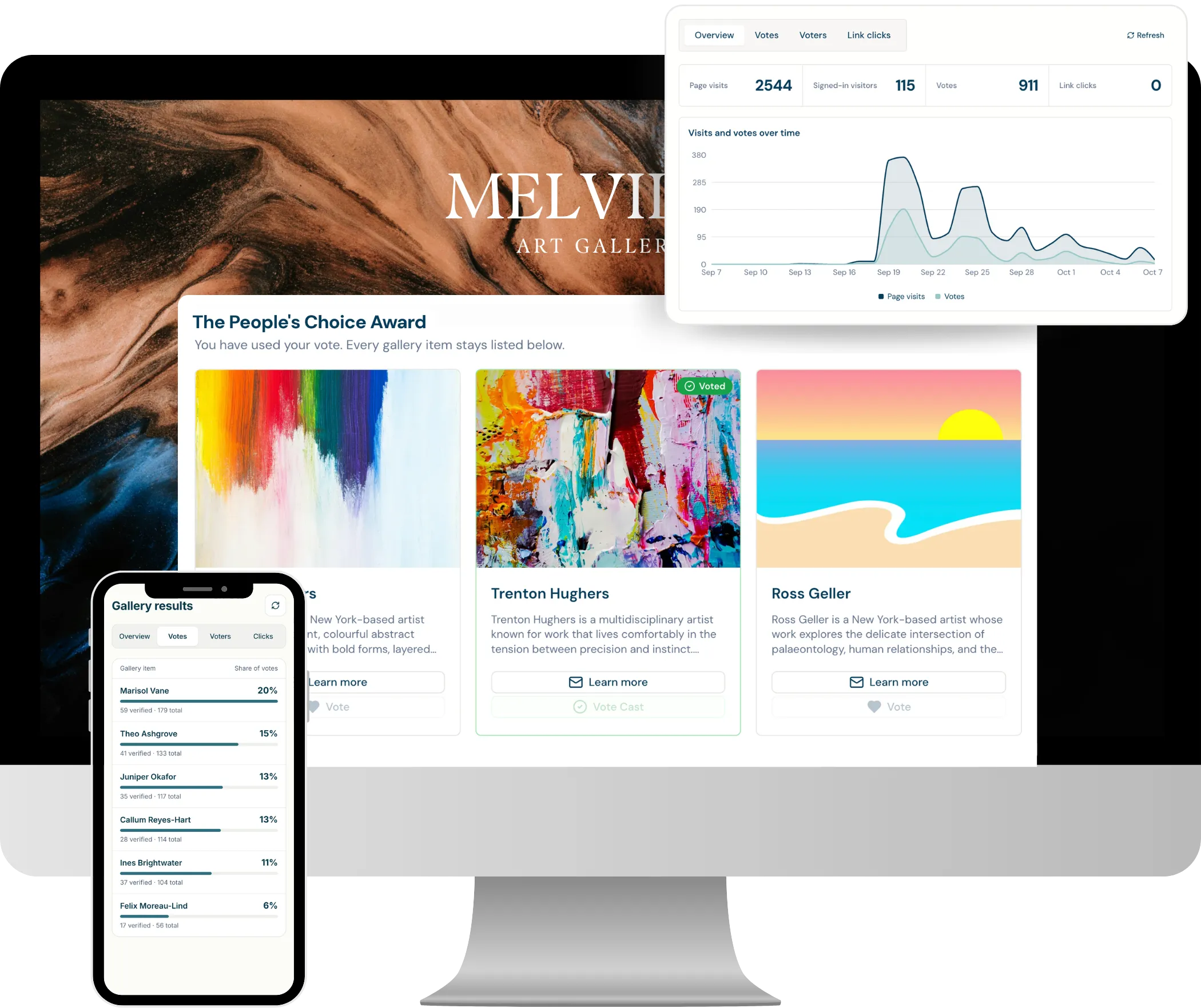
Add a public voting award and let your audience pick a winner. Publish your finalists to a public voting page and know that every vote that counts came from a real person.
- Your rules: Set how many entries each person can vote for, and schedule voting to open and close automatically.
- Verified votes: Voters confirm with email, Google or Microsoft, so duplicate and spam votes don't count.
- Low drop-off: Let people vote first and verify straight after, so fewer votes are abandoned along the way.
- Bot protection: CAPTCHA, rate limits and IP auditing guard against automated vote stuffing.
- Live results: Track verified and total votes for every entry in real time, then export the results to CSV.
Showcase, sell or take enquiries
Showcase, sell or take enquiries
Publish a shortlist, your finalists, an exhibition or a shop-style showcase. Every card links wherever you need it to, from a checkout to a pre-filled enquiry email.
- Custom link button: Add a Buy, Enquire or Learn more button to each item that opens a website or a pre-filled email.
- Built from your form: Show the title, name, price, dimensions or any other answer straight from the submission.
- Payments stay yours: Visitors go to your own checkout, website or inbox, so sales and enquiries are handled your way.
- Shortlists and showcases: Publish who's through to the next round, or celebrate accepted work once judging wraps.
Live in minutes
Live in minutes
There's nothing to build by hand. Attach a gallery to any stage and every submission that reaches it appears automatically, ready to preview and publish.
- Fills itself: Items are added automatically as submissions move into the gallery's stage.
- Guided set-up: A short wizard takes you through naming, scheduling, card design, features and styling.
- Preview first: Keep the gallery in Draft to check it as a visitor would, then switch it live.
- Scheduled: Set when the gallery and its voting open and close, then close it to freeze the results.
- Several at once: Run more than one gallery per project, such as a shortlist early on and a public vote for finalists.
Your gallery, your way
Your gallery, your way
Decide exactly what the public sees. Design the cards, style the page and curate every item without changing the original submissions.
- Card design: Choose the title, summary, up to five extra fields and the images shown on each card.
- Page styling: Match your submission form's branding or give the gallery its own look.
- Moderation: Auto-approve items, or review each one before it goes public.
- Curate: Reorder, hide or unapprove items, and override a public title, summary or image in a click.
- Analytics: See visits, engagement, link clicks and vote results in one place.
Frequently Asked Questions
A Gallery is a public page that fills automatically with the submissions that reach a chosen stage of your project. Use it to run public voting, publish a shortlist or finalists, showcase accepted work, or link each item to a sale or enquiry.
Voters confirm their vote with an email address or a Google or Microsoft sign-in, so each verified vote is tied to a real person. CAPTCHA, rate limits and IP auditing also guard against automated voting, and results show verified and total votes side by side.
Yes. Add a custom link button to each item, labelled Buy, Enquire or anything you like, that opens your own checkout, website or a pre-filled enquiry email. Payments and replies stay with your own shop or inbox.
Most galleries are ready in a few minutes. Attach the gallery to a stage, follow the short set-up wizard, preview it in Draft, then switch it live. Every submission in that stage appears automatically, using the details and images from its form.
Galleries and public voting are available on the Growth and Pro plans. You can run more than one gallery per project, each tied to a different stage.