Which Submission Platforms Allow Custom Workflow Automation? (2026 Guide)
Submission and grant platforms compared on custom stages, rules, routing, review set-up and AI.
Last updated: November 2026
Reading time: 10 minutes
 Oz Osbaldeston, Co-founder & CEO, Dapple
Short answer
Almost every submission and grant platform automates something, usually emails, deadlines and reviewer assignment. Far fewer let you design the workflow itself: your own stages, your own rules at each stage, and automations that move applications between them without someone clicking. Of the platforms compared here, Dapple, SurveyMonkey Apply and Submittable offer the most configurable automation. Award Force, Good Grants, OpenWater and Submit.com offer structured, rules-based flows. Zealous and Evalato mostly automate schedules and emails around a round-based model. Dapple goes furthest on customisation: unlimited stages, each with its own review rounds and automations, AI that can check, tag and route applications at every stage, and multiple organisations, teams and projects in one account.
Who wrote this? We build Dapple, so we're not neutral. Everything we say about other platforms comes from their own websites and help documentation as of November 2026, and the sources are listed at the end so you can check.
What counts as “custom workflow automation”?
“Automation” gets used for everything from a confirmation email to a fully rules-driven review process. When you compare platforms, check these seven things:
- Custom stages. Can you create as many stages as you need, named the way your team talks?
- Trigger-based rules. Can an event (a submission, a tag, a completed review, a date) trigger an action on its own?
- Conditional routing. Can applications take different paths based on their answers, category or eligibility?
- Review set-up per stage. Can each stage have its own reviewers, scoring and criteria?
- Reviewer assignment. Can applications be shared out to the right reviewers automatically?
- Intelligence. Can AI handle the reading-heavy admin (eligibility checks, summaries, tagging) and act on what it finds, rather than just writing a summary?
- Structure. Can you run several programmes, teams or organisations from one account, each with its own rules?
A platform that ticks the first five can automate a process. A platform that ticks all seven can automate your process, however many programmes you run.
How the main platforms compare
| Platform | Custom stages | Trigger-based rules | Conditional routing | Review set-up per stage | AI in the workflow |
|---|---|---|---|---|---|
| ✦ Dapple | Unlimited, per project | Yes, at every stage | Yes: AI routes to stages, review rounds and reviewers | Yes: each stage has its own review rounds | Eligibility checks, summaries, tagging and routing |
| SurveyMonkey Apply | Yes (applicant, review and holding stages) | Yes: WHEN / IF / DO builder, including time-based triggers | Yes: nested ALL / ANY conditions | Yes: simple and advanced review stages | Not documented as part of automations |
| Submittable | Yes | Yes: auto-labels, auto-assignments, custom calculations | Yes: criteria move applicants between stages | Yes: review rounds, reviewer groups per stage | Smart Reviewer scores against your rubric |
| Award Force | Judging rounds plus review flow | Notifications on events and tags | Review outcome decides the next reviewer; panels see entries by criteria | Multiple rounds, panels and score sets | AI fields: opt-in summaries, analysis and feedback |
| Good Grants | Unlimited action flow stages | Notifications per stage; Zapier and Make | Approve or reject at each stage; different flows per category | Review panels with rules | Not documented as part of action flow |
| OpenWater | Rounds (submission + judging, or judging only) | Reminders and notifications | Via round set-up | Per round | Opt-in beta since early 2026 |
| Submit.com | Phased applications | Auto-scoring and auto-reject | Disqualifying answers stop an application | Per phase | Not documented |
| Evalato | Unlimited evaluation rounds | Action-based emails (for example, on tags) | Conditional logic inside forms | Scorecard per round | Not documented |
| Zealous | Rounds on a schedule | Schedule opens, closes and publishes results; automated emails | Admins move entries through rounds | Criteria per round | Not documented |
“Not documented” means we couldn't find it in the vendor's public material, not that it definitely doesn't exist.
Platform by platform
Dapple: the most customisable workflows
Dapple was built on the assumption that no two programmes run the same way, so almost every part of the workflow is yours to configure:
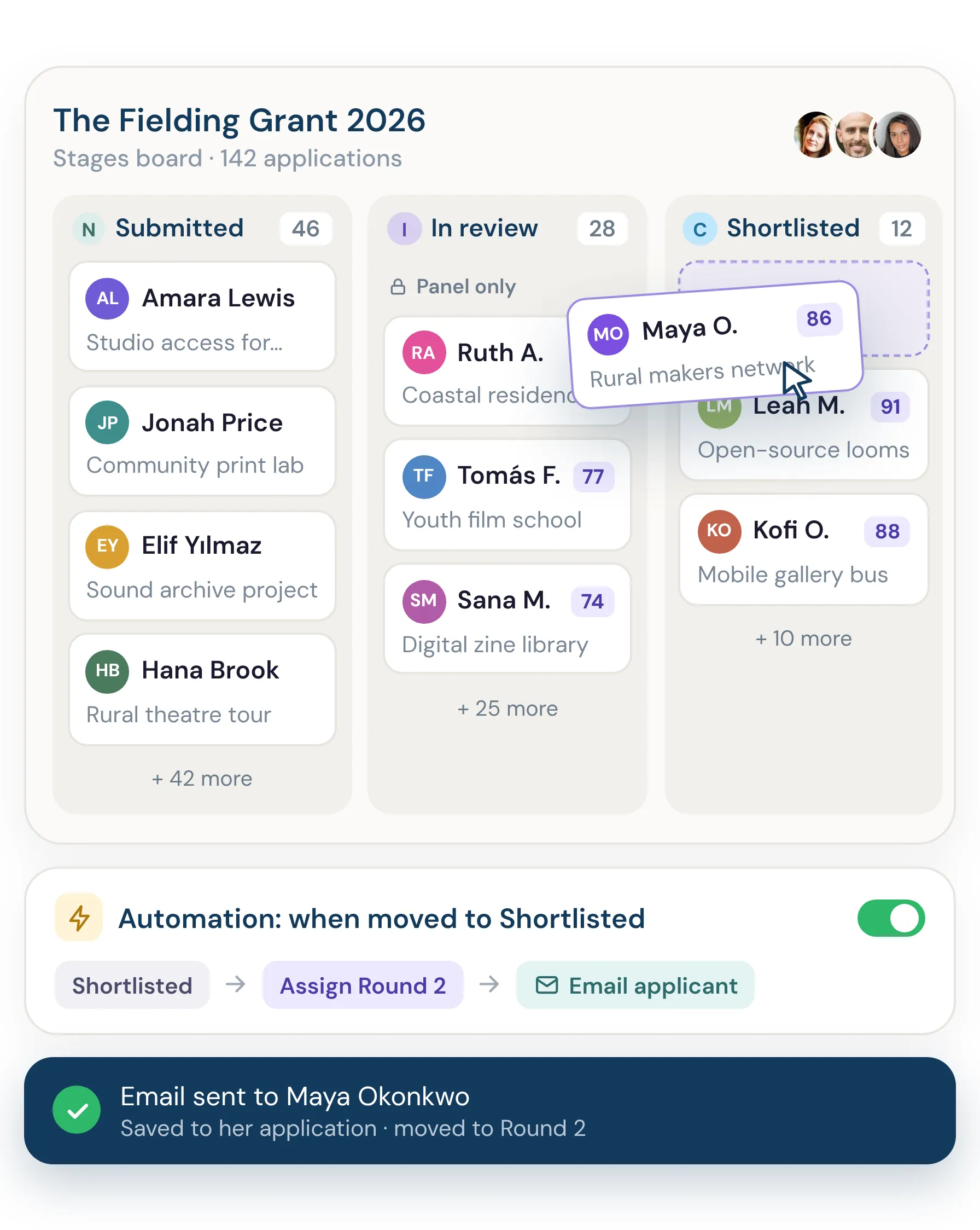
- Organisations, teams and projects. One account can hold several organisations. Each organisation can have multiple teams, and each team its own reviewers. Each grant round, award or open call is a project with its own forms, rules and configuration.
- Unlimited stages. Build as many stages as your process needs and see every application on a visual stages board. Move applications by drag-and-drop or in bulk.
- Review rounds at every stage. Each stage can have its own review rounds, and each round has its own scoring (rating or rubric), criteria, guidance, voting options, minimum and maximum reviews, notifications and optional automations.
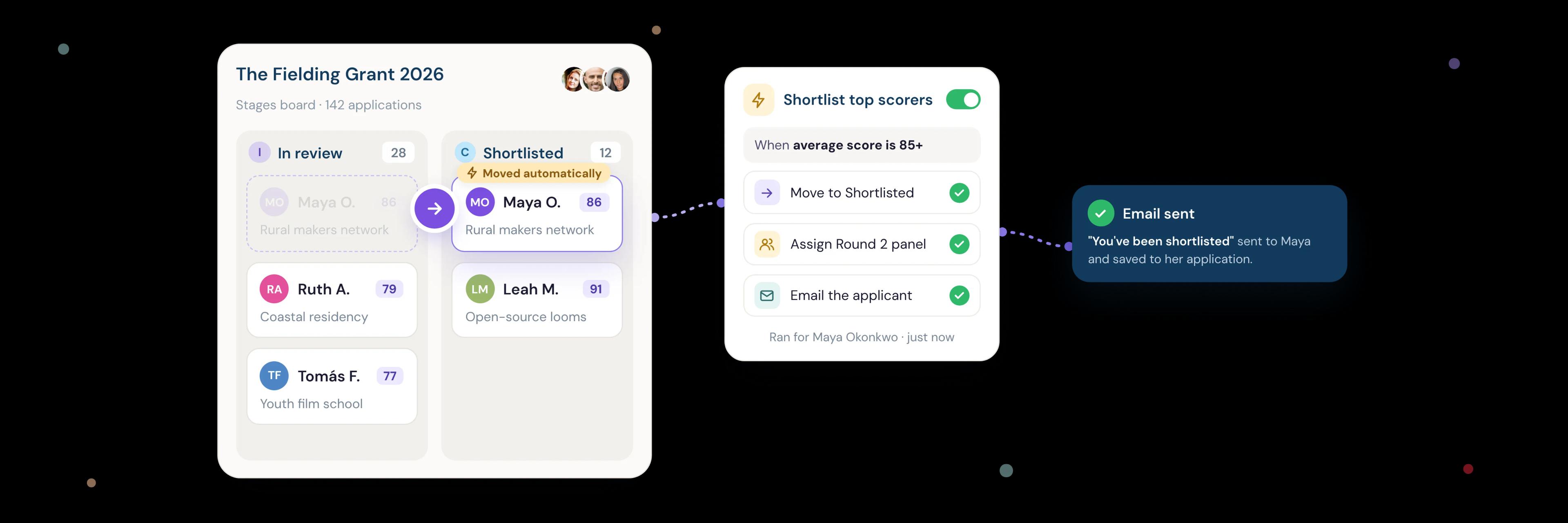
- Automations across the whole flow. Rules run from submission to decision, so the admin happens without anyone chasing it. Automations can assign applications to individual reviewers or share them out across a reviewer pool, assign an owner from your team, send messages such as an automatic rejection, and remind applicants who still have an unfinished draft application.
- Webhooks at every stage. Each stage can have its own webhook, so when an application reaches that stage its data can be pushed into another system, such as your CRM.
- An AI agent at each stage. Agents check applications against eligibility criteria you set in advance, write a summary of each one, tag them, and route them to the right stage or reviewer. Because each stage has its own review rounds, routing an application to a stage also sends it into the right review process. Agents can also be assigned to submissions, working alongside your human reviewers.
- People make the decisions. AI does the admin; your team and your reviewers decide every outcome.
In practice, this means pretty much any workflow can be set up in Dapple, from a single-round open call to a multi-strand fellowship run by several teams. Workflow automations are included on the Growth plan and above.
SurveyMonkey Apply: powerful rules, detailed set-up
SM Apply has one of the most detailed rule builders in the category. Each automation has a WHEN statement (the triggering event, such as a completed task or review), conditions that must match ALL or ANY of your rules (and can be nested), and DO actions. Automations can also fire at a set date and time, or when a programme, stage or task deadline opens or closes. Each programme has its own workflow of applicant, review and holding stages.
Good fit if your team is happy to invest time building and maintaining detailed rules.
Submittable: strong automated review for grants
Submittable's automated review covers auto-labelling, auto-assignment to reviewers, custom calculations and criteria that move applicants through stages automatically. Reviewer groups can be auto-assigned to each stage of a multi-round process. Its Smart Reviewer AI assesses applications against your scoring rubric alongside your human reviewers.
Good fit if you run larger grant programmes and want automated scoring and fraud checks.
Award Force: structured flows for awards
Award Force automates around fixed building blocks rather than an open rule builder. Its review flow sends an entry to a reviewer who approves or rejects it, and the outcome decides who sees it next. Judging panels show entries to judges based on criteria, judges can be assigned randomly, and tags (such as Gold or Finalist) can trigger notifications and certificates. Its AI fields, launched in January 2026, summarise and analyse entries and can run when an entry is submitted, moderated or tagged. They're opt-in and focused on insight rather than routing.
Good fit if you run awards and want proven, well-documented building blocks.
Good Grants: action flow for grant approvals
Good Grants (from the same company as Award Force) uses “action flow” to route an application through as many action stages as you need. At each stage a reviewer approves the application to continue or rejects it to stop it, and you can set up different flows for different categories. For automation beyond the platform, it connects to Zapier and Make.
Good fit if you need approval chains such as manager sign-off or referee checks. Organisations running both awards and grants may need two separate products.
OpenWater: flexible rounds for associations
OpenWater builds workflows from rounds that are either submission + judging or judging only, and you combine them to fit your process. Its strength is integrations: it lists more than 65 AMS, CRM and payment connections. OpenWater AI has been an opt-in beta for existing customers since early 2026.
Good fit if you're an association that needs the platform to sync with your membership system.
Submit.com: phased applications for the public sector
Submit.com breaks programmes into phases, each with its own forms, review tools and decision logic. It can auto-score applications against your criteria to produce a league table before manual review, and auto-reject applications when a disqualifying answer is selected.
Good fit if you're a UK or Irish public body or funder with a staged, eligibility-led process.
Evalato: unlimited rounds, email-led automation
Evalato supports unlimited evaluation rounds, each with its own scorecard, and conditional logic within entry forms. Its automation centres on communication: action-based emails can go out when you tag an application, for example.
Good fit if you run awards or competitions where the main time sink is emailing entrants and judges.
Zealous: schedule-driven open calls
Zealous automates the timeline: submissions open and close and results publish on the dates you set, and confirmation emails go out automatically. Judging runs in rounds, with admins moving entries from one round to the next.
Good fit if you run a straightforward creative open call or competition with a fixed schedule.
How to choose the right platform for your workflow
Start by mapping your process on paper: every stage, who reviews at each one, and where decisions get made. Then take that map to every demo and ask:
- “Show me an application going down two different paths automatically.”
- “Can each stage have different reviewers, scoring and criteria?”
- “Can AI act on eligibility (tag it, route it), or does it only summarise?”
- “Can I run several programmes or teams from one account, each with its own rules?”
- “What happens if we change the rules halfway through a cycle?”
- “Which automations are included on which plan?”
A single-round open call with one judging panel doesn't need much more than scheduled emails. Once you have several stages, different review teams or a mix of grants and awards, you need rule-based automation with review settings at every stage.
Example: a three-strand fellowship built in Dapple
Here's how an arts foundation might run a fellowship with visual arts, writing and music strands:
- Submitted. An AI agent checks each application against the eligibility criteria, flags anything missing, writes a summary and tags the strand.
- Routed by strand. Each application moves automatically to its strand's stage, where a review round with a specialist review group scores it against strand-specific criteria.
- Flagged. Applications that may not meet the criteria go to a holding stage for your team to check, so no one is ruled out by AI alone.
- Shortlist. Your team moves the strongest applications to an interview stage with its own review round and scoring.
- Awarded. Successful fellows move to the award stage, with funds tracked in fund management, and finalists can be shown in a public gallery.
Every step runs in one project, and the foundation's other programmes run side by side with their own rules.
Frequently asked questions
Which submission platform has the most customisable workflows?
Dapple offers the most customisable workflows: unlimited stages per project, separate review rounds with their own rules at every stage, automations across the whole flow, AI agents that route applications between stages, and multiple organisations, teams and projects in one account. SurveyMonkey Apply and Submittable also offer deep rule-based automation.
Can AI route applications automatically?
Some platforms can. Dapple's AI agents check eligibility, tag applications and route them to the right stage or reviewer, and they can also be assigned to submissions to work alongside your human reviewers. Submittable's Smart Reviewer scores applications against your rubric alongside human reviewers. Award Force's AI fields summarise and analyse entries but are focused on insight rather than routing.
Do I need Zapier or Make to automate my workflow?
Not for workflows inside the platform if it has its own automation. Zapier or Make are useful for connecting to other tools, such as a CRM or finance system. Dapple has stage-based webhooks, so an application's data can be pushed to another system, such as a CRM, as soon as it reaches a particular stage. It also has an API, Zapier and connectors for AI tools such as Claude and ChatGPT. Webhooks, the API and Zapier are on the Pro plan.
Are workflow automations included on every plan?
It depends on the platform. In Dapple, automations are included on the Growth plan and above. Many other vendors only share pricing on request, so ask which automations each plan includes.
See it for yourself
Want to see how your workflow would look in Dapple? Explore workflow management or book a demo.
Sources
- SurveyMonkey Apply: Automation overview, Automation conditions, Time-based automation, Stages overview
- Submittable: Automated review, How AI makes grant review faster and fairer, Groups feature
- Award Force: 6 Award Force automations, AI fields sample prompts, AI tools launch (Jan 2026)
- Good Grants: Understanding action flow, Time-saving automation tips
- OpenWater: FAQs, Add another round
- Submit.com: Phased applications, How Submit.com works
- Evalato: Product changes, Tags and emailing improvements
- Zealous: Managing submissions on Zealous, Open exhibitions
Last updated November 2026.
Explore More
Workflow Management
Unlimited stages, review rounds and automations on a visual stages board.
How to Choose Submission Management Software
Map your workflow, the capabilities that matter, pricing models and red flags.
How to Automate High-Volume Award Entries
Categories, payments, eligibility checks, judge allocation, reminders and AI.